
Taoist VPN4.0.0.0 - Download
You'll be able to download in few seconds.
Publisher Description
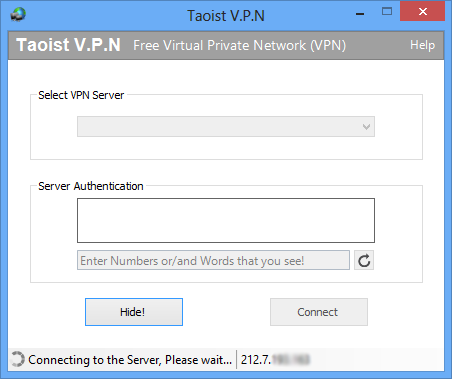
Key Benefits to using Taoist VPN
Secure your web session, data, online shopping, and personal information online with HTTPS encryption. Protect yourself from identity theft online. Secure your IP address for your privacy online and private browsing. Access all content privately without censorship; bypass firewalls. Protect yourself from snoopers at Wi-Fi hotspots, hotels, airports and corporate offices. VPN client works on both wireless and wired connections. Provides Unlimited Bandwidth. Enhanced Security - All internet data are kept secured and encrypted when connecting to the network through VPN. By this the information is away from hackers' attentions. Online Anonymity - Through VPN users can browse internet in complete anonymity. Comparing to those hide IP software, VPN service allows users to access both web applications and websites in complete anonymity. Unblock Websites, Bypass Filters - VPNs are great for accessing blocked websites or for bypassing Internet filters. where Internet censorship is applied in campus network or from ISP side, VPN is the best way to gain access to those most popular websites. Change IP address - If you need an IP address from USA, UK or Canada, Smartpcsoft VPN is the best free Application you need. Better performance - Bandwidth and efficiency of the network can be generally increased once a VPN solution is implemented, because Taoist VPN Application uses only the world best data centers that has world best internet backbone connections to all over the world.
About Taoist VPN
This program is available in English. It was last updated on 29 September, 2026. Taoist VPN is compatible with the following operating systems: Other, Windows, Windows-mobile.
The company that develops Taoist VPN is Smart PC Soft. The latest version released by its developer is 4.0.0.0.
The download we have available for Taoist VPN has a file size of 3.1 MB. Just click the green Download button above to start the downloading process. The program is listed on our website since 2016-03-02 and was downloaded 0 times. We have already checked if the download link is safe, however for your own protection we recommend that you scan the downloaded software with your antivirus. Your antivirus may detect the Taoist VPN as malware if the download link is broken.
How to install Taoist VPN on your Windows device:
- Click on the Download button on our website. This will start the download from the website of the developer.
- Once the Taoist VPN is downloaded click on it to start the setup process (assuming you are on a desktop computer).
- When the installation is finished you should be able to see and run the program.
Program Details
System requirements
Download information
Pricing
Version History
version 4.0.0.0
posted on 2016-03-02
Free VPN Server
Disclaimer
External Download
We do not host Taoist VPN on our servers. We did not scan it for viruses, adware, spyware or other type of malware. This app is hosted by the software publisher and passed their terms and conditions to be listed there. We recommend caution when installing it.
The external download link for Taoist VPN is provided to you by apps112.com without any warranties, representations or guarantees of any kind, so access it at your own risk.
If you have questions regarding this particular app contact the publisher directly. For questions about the functionalities of apps112.com contact us.
